BrandsImprove this page
In order for you to create self-sourced offers, you will need to create the Brand (Merchant name) first.
The Brand object is used to aggregate locations, any brand related data such as website, logos etc.
Create Brand
Create brand
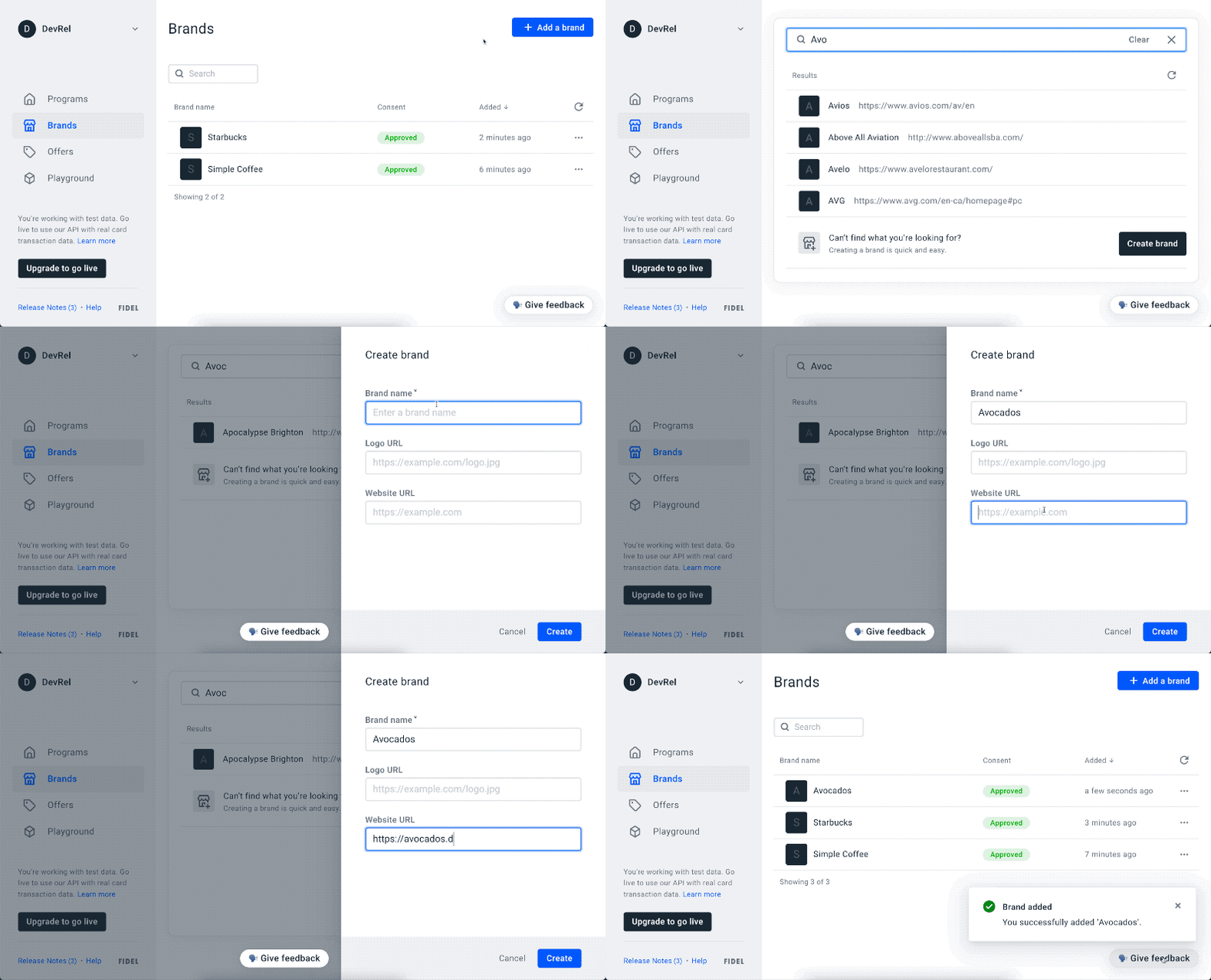
To add a new Brand, go to the Brands page on the Fidel Dashboard and click Add a brand, then enter a brand name. If the brand you need doesn't exist, you can create a new one. Optionally, you can add a link to the brand website and logo (note: these links cannot be added later through the Dashboard). You can also create a Brand using the API:
12345678910curl -X POST \
  https://api.fidel.uk/v1/brands \
  -H 'Content-Type: application/json' \
  -H 'Fidel-Key: <KEY>' \
  -d '{
    "name": "Brand B",
    "logoURL": "https://example.com/logo.png",
    "websiteURL": "https://example.com/"
  }'
Image Upload Rules for the Dashboard
To ensure images render correctly in the dashboard, please adhere to the following constraints and recommendations when handling image uploads:
✅ Requirements
- Max file size: 1MB
- Min dimensions: 360x360 pixels
⚙️ Dashboard Behavior
The dashboard does not manipulate the uploaded image.
After upload, users can zoom and reposition the image, but no cropping or resizing is enforced. Bear in mind that zooming might decrease the image's quality.
🧠 Recommendations for Best Results
- Use an image where the logo fills the 360×360 area or has minimal whitespace.
- The uploaded image should be sharp and high-resolution.
- Blurry logos typically mean the source image is low quality, or has been stretched without preserving aspect ratio.
Important: It's the uploader's responsibility to provide a clean, properly sized, and high-quality image. The dashboard won't correct poor inputs.